The short answer
If your Jucce Bar is not working, start with the symptom. For no vapour after a pod change, check the flavour tag, preparation and fit before checking charging. The device activates when you inhale and has no fire button. Replace an empty pod, not the rechargeable device. If it fires without a draw, stop using it and contact the seller rather than trying more pods or charging it to test it.
Key points
- For no draw after a pod change, start with the flavour tag, preparation and fit. Charging is a separate check.
- The original Jucce Bar activates when you inhale and stops when you stop. There is no fire button or button sequence.
- An empty pod is replaced as a whole, including its coil. Refilling it or changing a separate coil is not part of this system.
- No light does not identify a particular fault from the information available. Follow the supplied manual rather than guessing a flash code.
- Firing without a draw needs the seller's attention, not repeated pod or charging tests.
This guide covers the original Jucce Bar rechargeable device with sealed prefilled pods. It separates pod setup, charging and draw activation checks without treating every failure as a flat battery. Compare your kit with the Jucce Bar device specifications before following the steps.
The setup checks use Jucce’s published instructions and the linked product pages. The battery precautions follow London Fire Brigade’s guidance. They are not a diagnosis of an individual device or a report of hands on testing. Follow the instructions supplied with your exact kit if they differ.
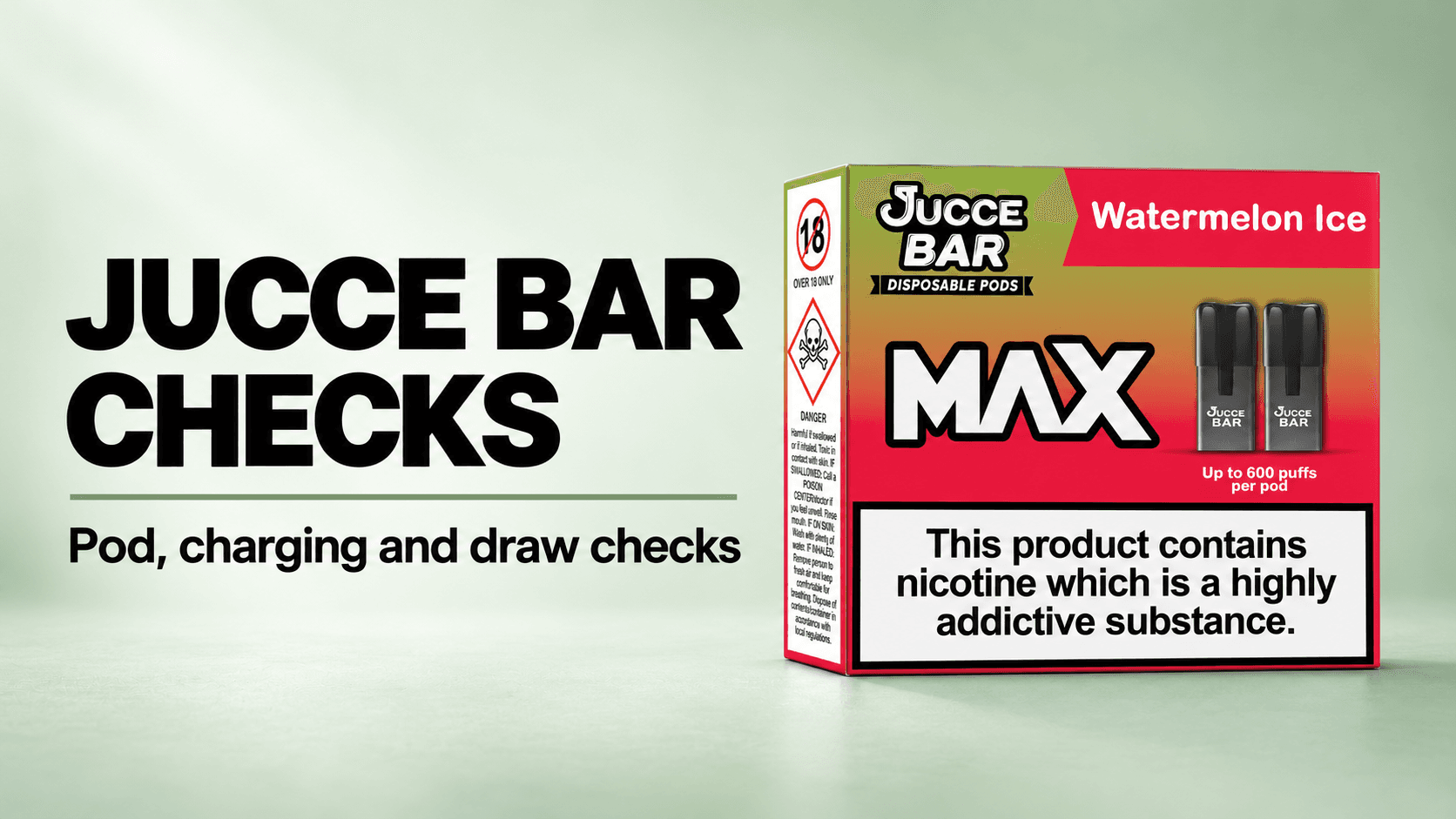
Banner illustration: Jucce Bar MAX Watermelon Ice pod packaging, not the original rechargeable device or a charging setup. The packaging shown does not confirm compatibility with your device or current availability. The manufacturer’s puff rating printed on the pack is an upper limit; actual use depends on draw length and usage.
Use the section matching the problem below. The product pages explain setup and replacement, but do not provide fault codes, a sensor repair procedure or a guaranteed fix for every symptom. The steps distinguish checks you can make from faults that need the seller’s assessment.
Check for warning signs before trying again
If the battery is unusually hot, bulging or hissing, stop using the device immediately. Do not carry on with the pod or charging checks below. London Fire Brigade identifies these as reasons to stop using a battery powered vape.
Do not attempt to repair a damaged device or open its battery housing. Ask the seller or manufacturer what to do next. If it catches fire or explodes, leave the property, move away from the device and call 999. Do not try to fight the fire yourself. See London Fire Brigade’s vaping and battery guidance.
No draw or no vapour: check the pod first
Try first: check preparation if the problem began when you fitted a replacement pod. If there is leaking, damage or firing without a draw, use the relevant section instead of trying further draws or charging.
- Confirm the device and pod match. The linked Jucce Bar prefilled pods are listed for the Jucce Bar device. A pod pack does not contain a battery or work on its own.
- Check the flavour release tag. It must be removed before use. Jucce’s setup instructions say to remove the tag, wait 60 seconds for the liquid to infuse, then click the pod into the device. Follow the instructions supplied with your exact pod if the fitting sequence differs.
- Check the fit. The pod should click into place. Our linked pod product page describes it sitting flush. If it does not fit as described, check compatibility with the seller rather than forcing it.
- Use inhale activation. Draw through the mouthpiece as directed in the manual. There is no fire button, menu or unlock sequence.
- If there is still no response, check charging. Follow the charging section below, provided there are no warning signs or firing without a draw.
Pod or device? Replace a pod that has run out of liquid. For an unresolved no draw problem, a correctly prepared unused matching pod can provide a comparison if you already have one. If it works, leave the original pod out of use and ask the seller about that pod. If the device still does not respond after the preparation and charging checks, ask the seller to assess it before buying more pods or a replacement device.
Pod not detected: check compatibility and seating
Try first: check the pod type and fit, not an assumed light code. Here, ‘not detected’ means the device does not respond after fitting a pod; it is not a verified Jucce Bar error message.
- Read the pod and device names. Use pods listed for your exact device. A shared flavour or brand name alone does not establish compatibility.
- Refit using the normal replacement method. Pull the pod out of the top and fit the prepared matching pod until it sits flush. Do not open the pod or adjust internal parts.
- Recheck the preparation steps above. A fitted pod still needs its flavour tag removed and the specified wait before the first draw.
- Compare only if appropriate. If there is no leaking, damage or firing without a draw, try an unused matching pod you already have, prepared according to its instructions.
Pod or device? If the replacement responds but the original does not, report the original pod to the seller. If matching pods still do not fit or respond after the charging checks, have the device assessed. The product pages do not establish a sensor fault from this symptom.
No light: separate draw response from charging response
Try first: note when the light is absent: during a draw, during charging, or both.
- Check the supplied manual. Use its indicator instructions for your exact device. The cited product information does not provide a light colour or flash count chart.
- If there is also no vapour, follow the pod checks. Confirm the tag, preparation and fit before treating the symptom as a charging problem.
- If the missing light occurs during charging, follow the charging checks below. Do not assume that no light proves either a full battery or a failed battery.
Pod or device? Do not buy a pod solely because a light is absent. Report the missing indicator and any draw response to the seller. Ask for assessment if the response differs from the manual after the relevant checks.
Not charging: check the supplied setup
Try first: check the cable connections against the supplied manual. The original device has a 500mAh built in rechargeable battery and comes with a USB-C cable.
- Check the specified charging equipment. Use the supplied cable and the power source specified in your device instructions. Do not substitute an unspecified charger as a test.
- Check each connection. Confirm that the cable is connected at the device and power source ends as the manual describes.
- Check the expected response in the manual. The cited product information gives no exact full charge time or indicator chart, so do not leave it connected for a guessed duration.
- If there is still no response, contact the seller. Explain which cable and power source you used and what the indicator did. Do not keep repeating charging attempts to diagnose it.
Keep these charging precautions in mind: London Fire Brigade advises against unattended or overnight charging, covering the device while charging, and charging in direct sunlight or freezing conditions. Disconnect when charging is complete, following the instructions.
Pod or device? A replacement pod is not a replacement battery or charging cable. Ask the seller to assess the charging setup and device. Replace the device if that assessment identifies a device fault requiring replacement, rather than assuming a pod purchase will resolve it.
Burnt taste: check preparation, then the pod
Try first: stop drawing on the affected pod and check whether it was prepared before use. The product information does not identify a single cause for every burnt taste.
- Check the flavour tag and wait. If the tag was left on or the preparation wait was missed, follow the supplied pod instructions before any further use. Do not assume that waiting now will restore a pod that already tastes burnt.
- Consider whether the pod is spent. If it has run out of liquid, replace the whole pod. Recharging the device does not replenish the liquid.
- If the taste persists, replace the affected pod. The coil is inside the sealed pod, so there is no separate coil change or bottled refill step.
- If a correctly prepared replacement also tastes burnt, contact the seller. Describe when the taste began rather than continuing to change pods without an assessment.
Pod or device? Start with replacement of an empty or persistently burnt tasting pod, not an automatic device purchase. Repeated symptoms with a correctly prepared matching replacement need the seller’s assessment.
Leaking pod: identify the affected part
Try first: leave the affected pod out of use and check it without opening it.
- Note where the liquid appears. Tell the seller whether it is around the pod, mouthpiece or inside the device. Do not label it condensation or a failed seal without an assessment.
- Check the pod type and preparation. These pods are supplied sealed and filled. Adding liquid or opening the pod is not part of their instructions.
- If the pod continues to leak or is visibly damaged, ask for a replacement pod. Do not attempt to open or reseal it.
- If liquid is inside the device, or a matching replacement also leaks, stop further tests and contact the seller. The cited pages do not give a procedure for cleaning liquid from internal components.
Pod or device? For a pod that keeps leaking, ask about replacing the affected pod. That does not establish the condition of the device. Ask the seller whether the device also needs assessment before fitting another pod where liquid has entered it.
Firing without a draw: stop the checks
Do first: stop using the device and contact the seller. Do not treat this as the same problem as no light.
- Compare the behaviour with the stated operation. The device product page says it fires when you draw and stops when you stop.
- Do not keep testing it. Do not take further draws, fit another pod or connect it to a charger to see whether the behaviour repeats.
- Describe what happened. Tell the seller whether it started without a draw or continued after you stopped, and whether there was leaking or damage. Follow the warning sign guidance above where relevant.
Pod or device? The product pages do not provide a reset or repair procedure for this behaviour. Ask the seller to assess the device and arrange replacement if required. Do not assume that changing a pod has repaired it.
Still not working? Give the seller a clear description
Tell the seller the exact device and pod names, whether the problem started after a pod change or during use, and what happened during a draw and charging. List the preparation and charging checks you have completed, and whether an unused matching pod changed the result. Report any leaking, damage or firing without a draw.
Replace the pod when it is empty. Seek a pod replacement for persistent burnt taste, leaking or damage. Seek a device assessment for unresolved charging or draw problems, liquid inside the device, or firing without a draw. These checks do not confirm which internal component has failed.
Do not assume you need to buy a replacement device before the fault has been assessed. If it needs disposal, London Fire Brigade advises using a vape take back point or a suitable electrical recycling facility, not a household rubbish or recycling bin. For the original system, see our Jucce Bar device and pods page.
Jucce Bar troubleshooting FAQ
How do I turn my Jucce Bar on?
It activates when you inhale through the mouthpiece. There is no fire button. If it does not respond, follow the pod preparation and charging checks rather than trying a button sequence.
Why does my replacement pod pack not work on its own?
The pod pack does not contain a battery. It needs the matching Jucce Bar device, and the pod must be prepared and fitted as directed.
Can I refill a Jucce Bar pod to fix a burnt taste?
No. The pods are sealed and the coil is already inside. Replace an empty or persistently burnt tasting pod rather than adding liquid. See Can you refill Jucce Bar pods? How to replace them for the distinction between refilling and replacement.
What does a flashing light mean?
The cited product information does not supply a flash code chart. Check the manual supplied with your exact device and tell the seller the pattern you see. This guide does not assign a fault to a light colour or flash count.
Should I replace the pod or the whole Jucce Bar?
Replace an empty pod, not the rechargeable device. For unresolved draw or charging problems, have the device assessed after the relevant checks. Firing without a draw needs the seller’s assessment rather than further pod tests.
Live products, prices and stock
This article explains the question or review. Use the linked shop pages for current product options, prices and availability.
Sources and verification
- Jucce Bar setup, pods and rechargeable device FAQsJucceChecked: 19 October 2026
Supports: Manufacturer instructions for flavour tag removal, waiting 60 seconds before fitting the pod, magnetic connection, inhale activation, sealed non-refillable pods with an installed coil, 500mAh built-in rechargeable battery and supplied USB-C charging cable. This FAQ does not supply a model-specific light-code chart or an exact full-charge time.
- Vaping and e-cigarettes: batteries, charging and disposalLondon Fire BrigadeChecked: 19 October 2026
Supports: Follow supplied instructions; use the supplied charger where provided; avoid unattended or overnight charging, covering charging batteries and extreme temperatures; stop using batteries that become unusually hot, bulge or hiss; leave and call 999 if the device catches fire or explodes; use electrical recycling or retailer take-back rather than household bins.