The short answer
A low number on the Hayati Pro Ultra Plus 25K display means the battery needs charging; the letter L means the left side, not low. Recharge over USB-C when the battery reading is low, and check the transparent tanks separately for liquid. When both sides are finished, keep the rechargeable body and fit a matching prefilled replacement pack.
Key points
- Read the battery number first. A low reading calls for a USB-C recharge.
- L and R identify the two sides. They are not low and high power modes.
- Look through both clear tank windows to check liquid, not just at the animation.
- Lift, turn and lower the mouthpiece to select the other side.
- Replace the matched prefilled pack when finished, and keep the working rechargeable body.
Battery charge, the selected side and liquid supply are three separate things on this kit. Read each separately before replacing anything.
This guide covers the Hayati Pro Ultra Plus 25000, also called the Pro Ultra Plus 25K. Check the full model name before following it. The older Pro Ultra 15000 disposable and Pro Max Plus 6000 use different parts.
How to read the Hayati Pro Ultra Plus display
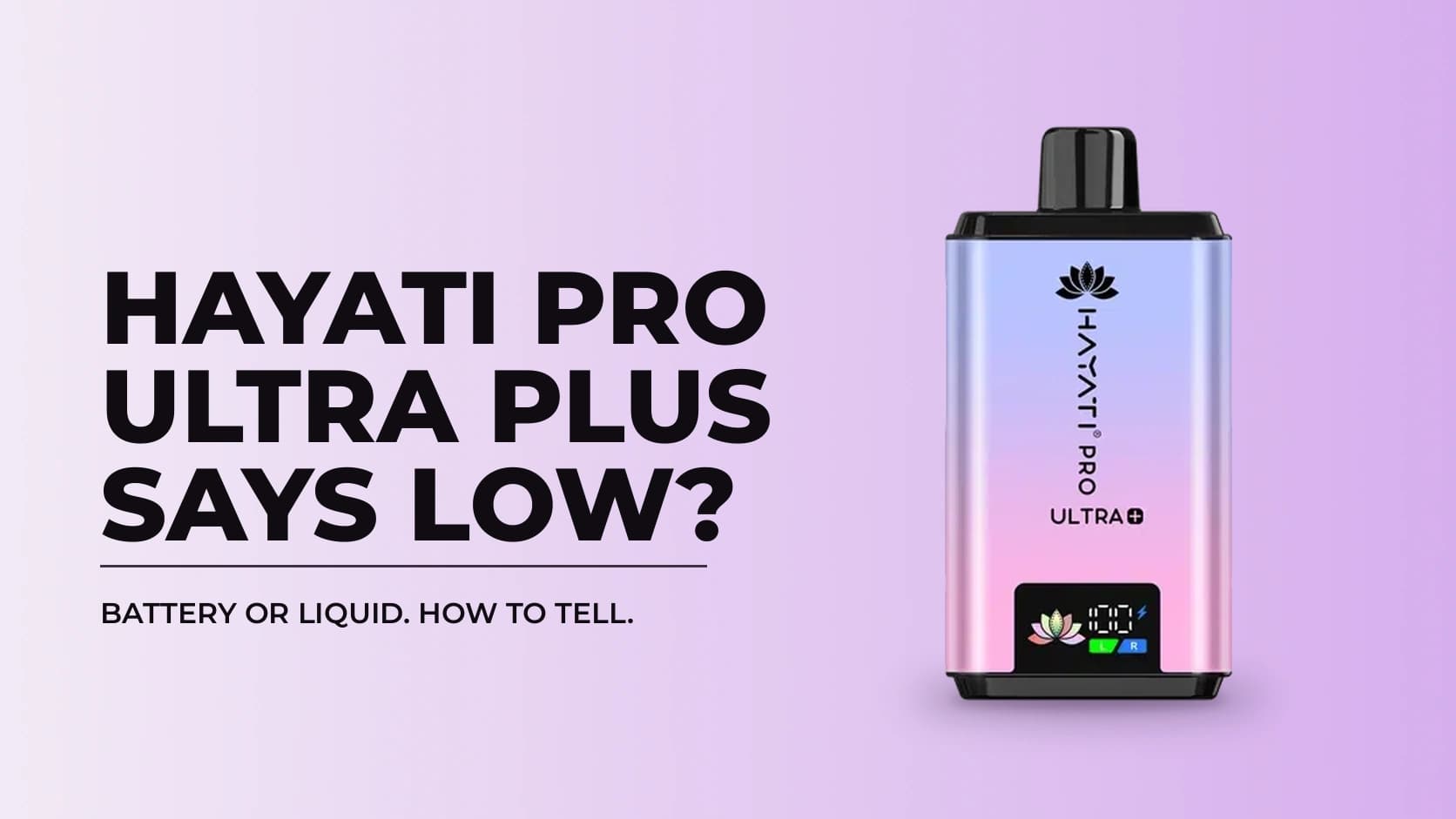
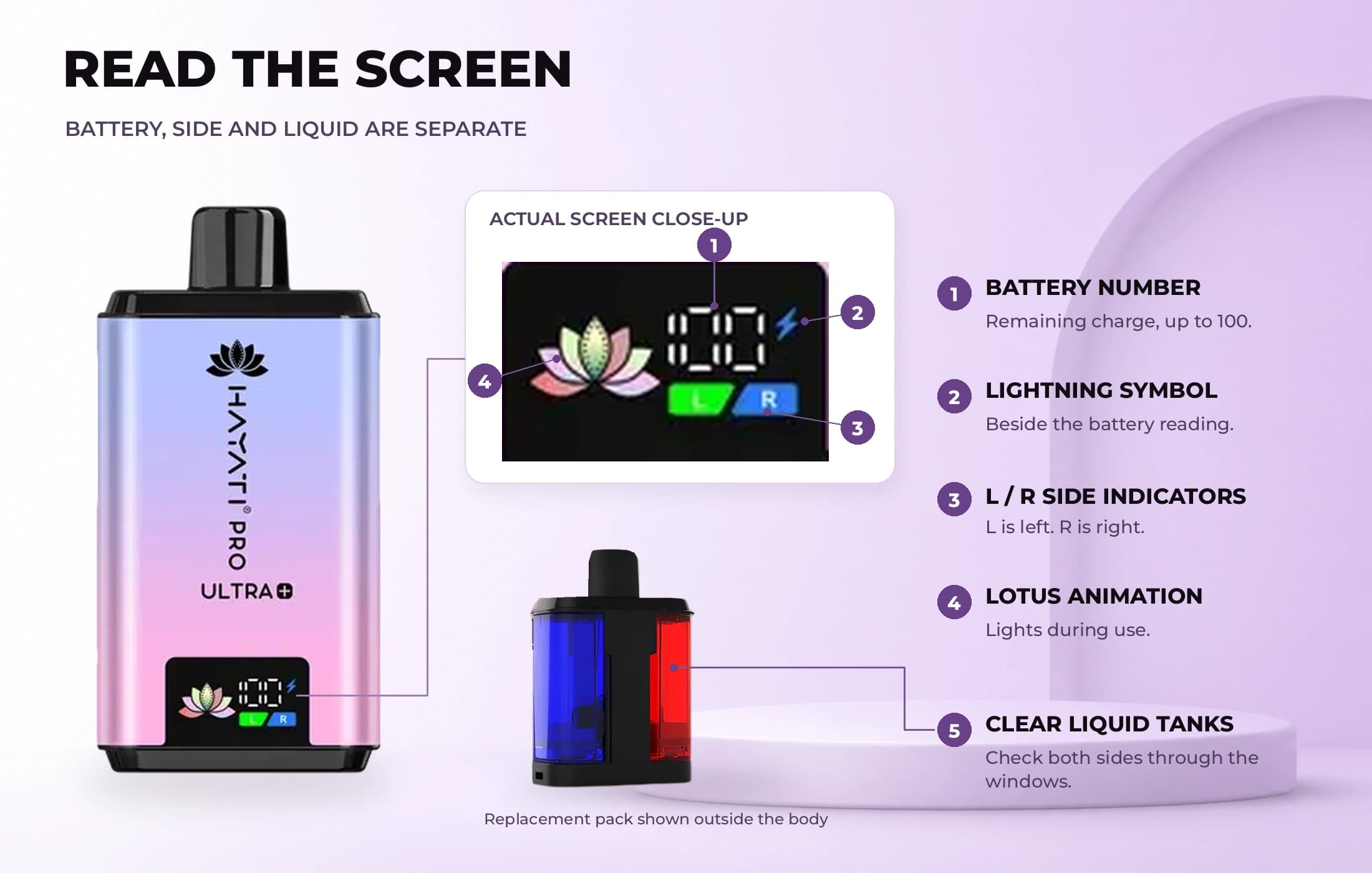
The screen sits near the bottom of the front face, with battery information on the right and the lotus graphic on the left.
1. Battery number. The white digits show remaining battery charge as a percentage. A reading of 100 means full charge. It does not mean 100 puffs, 100ml or that the liquid pack is full.
2. Lightning symbol. The small bolt beside the digits belongs to the battery information. It also appears in Hayati’s normal-use artwork, so seeing the bolt alone does not establish that a cable is connected.
3. L and R. These identify the left and right sides used by the flavour selector. The active-side indication helps you keep track of which side you are using. L does not stand for low.
4. Lotus animation. The flower-shaped graphic lights during use. Treat it as the usage animation, not a graduated measure of liquid.
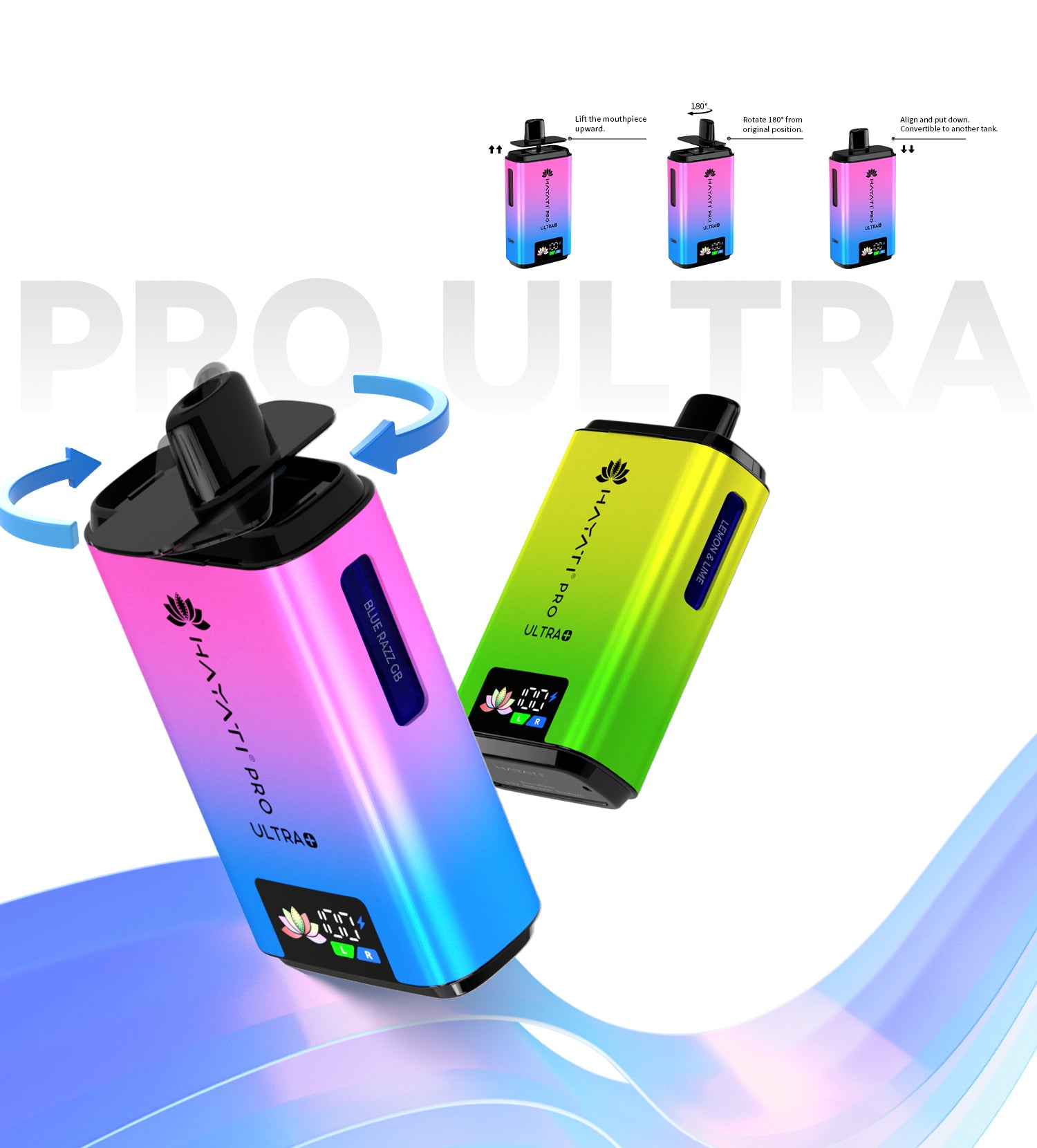
5. Clear tanks. Check the visible liquid through the side windows. The pack photograph shows the tanks outside the body so their position is easier to understand.
There is no low/high power setting to select on this standard 25K model. Inhaling activates it; turning the mouthpiece selects a side. Hayati describes a battery display and transparent liquid tanks.
Low battery: when to charge and what to check
When the battery number is low, recharge the body before blaming the pack. A depleted battery cannot power the coil, even with liquid left in both tanks. Fitting fresh liquid does not recharge the battery.
Connect a sound USB-C cable to the port near the base, using a power source that matches the supplied instructions. Check for a charging response and follow the battery number towards 100. Disconnect once fully charged.
If there is no response, disconnect the cable and inspect the port and connector for damage, moisture or obvious obstruction. With an undamaged, dry device, try another suitable cable and power source. Do not probe the port with metal or bend the connector to make it work.
Hayati’s published material does not define a literal LOW or LO message, a protection-code table or a full-charge time for the standard 25K. For an unfamiliar message, check charge and pack seating first, then show the seller exactly what remains on the screen.
Stop using or charging a device that is damaged, leaking into the body or unusually hot. A persistent blank screen after these checks needs inspection.
Low liquid: check each side separately
Hold the kit upright in good light and inspect both clear tank windows. Each side has its own liquid supply and independent coil. A charged screen does not tell you how much liquid remains on either side.
As the selected side runs out, flavour can fade and vapour can fall away. A dry or burnt taste is a reason to stop using that side. Do not take repeated pulls to see whether the taste clears.
To select the other side, lift the mouthpiece, rotate it 180 degrees, then align and lower it, as shown in Hayati’s mouthpiece instructions. This is a manual change. Check that side’s liquid before using it; an empty first side does not prove the second is empty.
When both sides are finished, fit a new pack. Liquid still visible alongside a persistent burnt taste points you towards the pod and coil, not another recharge. Let the kit rest between draws; if the burnt taste persists, replace the pack. Charging cannot restore a scorched wick.
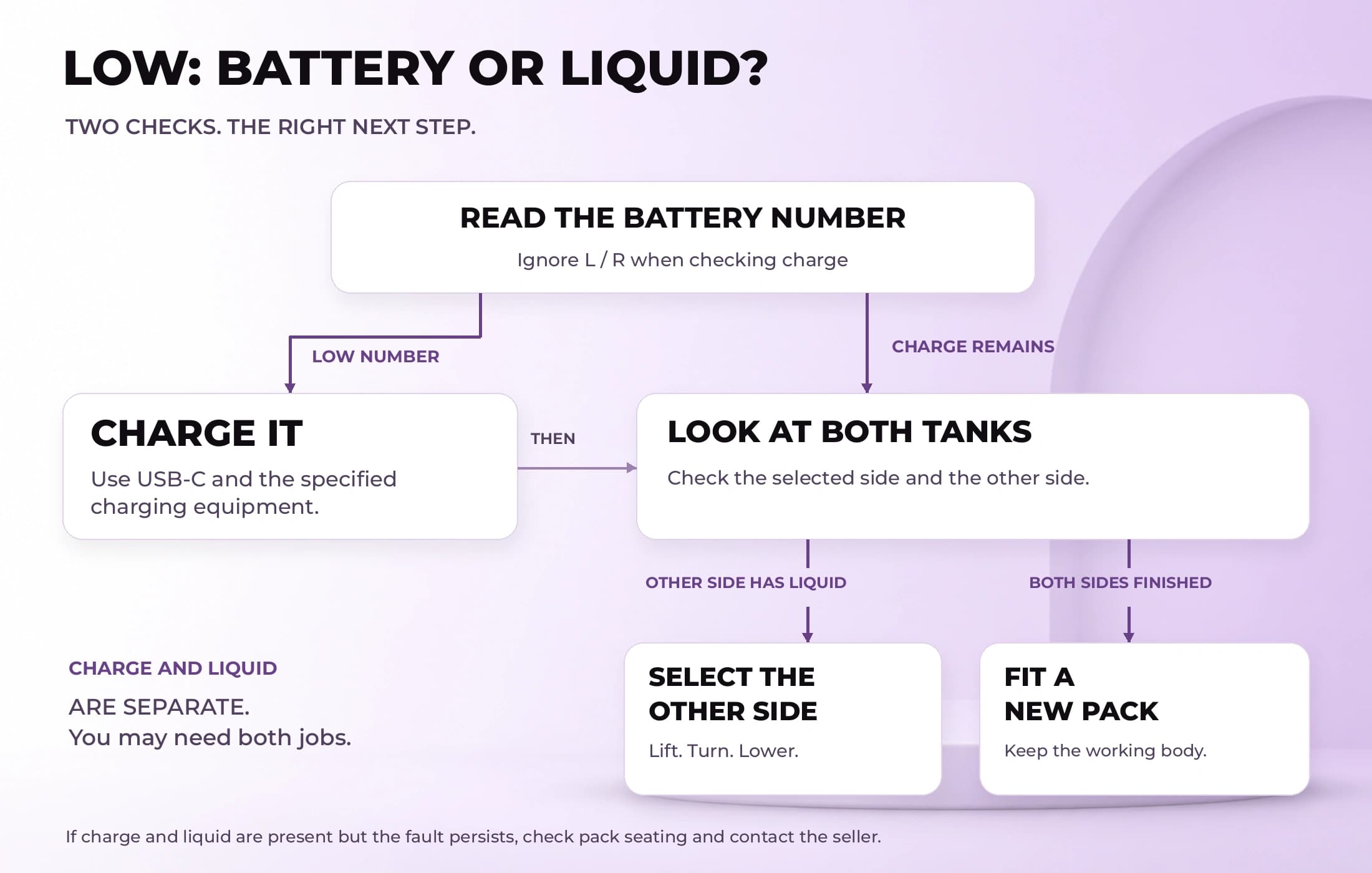
Low: battery or liquid?
Start with the battery number, then inspect the selected tank. These checks can lead to different jobs on the same kit: charging the body and replacing a finished pack. If there is charge and liquid but it still will not work, follow the fit checks below before replacing anything.
What you see, the likely cause and what to do
| Comparison point | Likely cause | What to do |
|---|---|---|
| Low battery number, liquid still visible | Battery needs charging. | Recharge over USB-C, then check the reading before using it. |
| One side is empty or fades while the other has liquid | Selected side is finished. | Stop using that side. Lift, turn and lower the mouthpiece to select the other. |
| Both sides are empty | Prefilled liquid supply is finished. | Fit the matching Pro Ultra Plus 25000 replacement pack. Keep the working body. |
| Burnt taste with liquid still visible | Wick is dry or the coil is worn or scorched. | Stop using that side. Let it rest; replace the pack if the burnt taste persists. |
| Nothing on the screen when you try to use it | Flat battery, charging problem or a fault. | Check cable, power source and pack seating. If it stays blank, contact the seller. |
| Repeated blinking or an unfamiliar message | A charge, contact or device problem needs checking. | Check charge and pack fit. Record the exact message; do not translate another model's blink codes. |
Important context: These are first checks, not guaranteed fault diagnoses. Do not charge or test a damaged, wet or unusually hot device.
Six checks, in the right order
Look at the battery reading
Read the number rather than the L/R letters. If charge is low, recharge the undamaged, dry body using the specified charging equipment.
Inspect both liquid supplies
Hold the kit upright in good light. Check the selected side and the other side separately. Do not assume a full battery means a full pack.
Finish the side selection
Lift the mouthpiece, turn it halfway round, then lower it into position. Do not leave it halfway between sides or force it.
Check the pack is seated
Follow the leaflet to check that the matched tanks and pod are correctly fitted and the top sits flat. A fresh pack must have its identified transport seals removed.
Stop at a burnt taste or repeated fault
Do not keep drawing on a dry side. If charge, liquid and seating are correct but an error persists, note the display and contact the seller.
Fit a new pack when needed
Replace the finished or persistently burnt pack with the Pro Ultra Plus 25000 version. Keep the body if it charges and works normally.
What you keep and what you replace
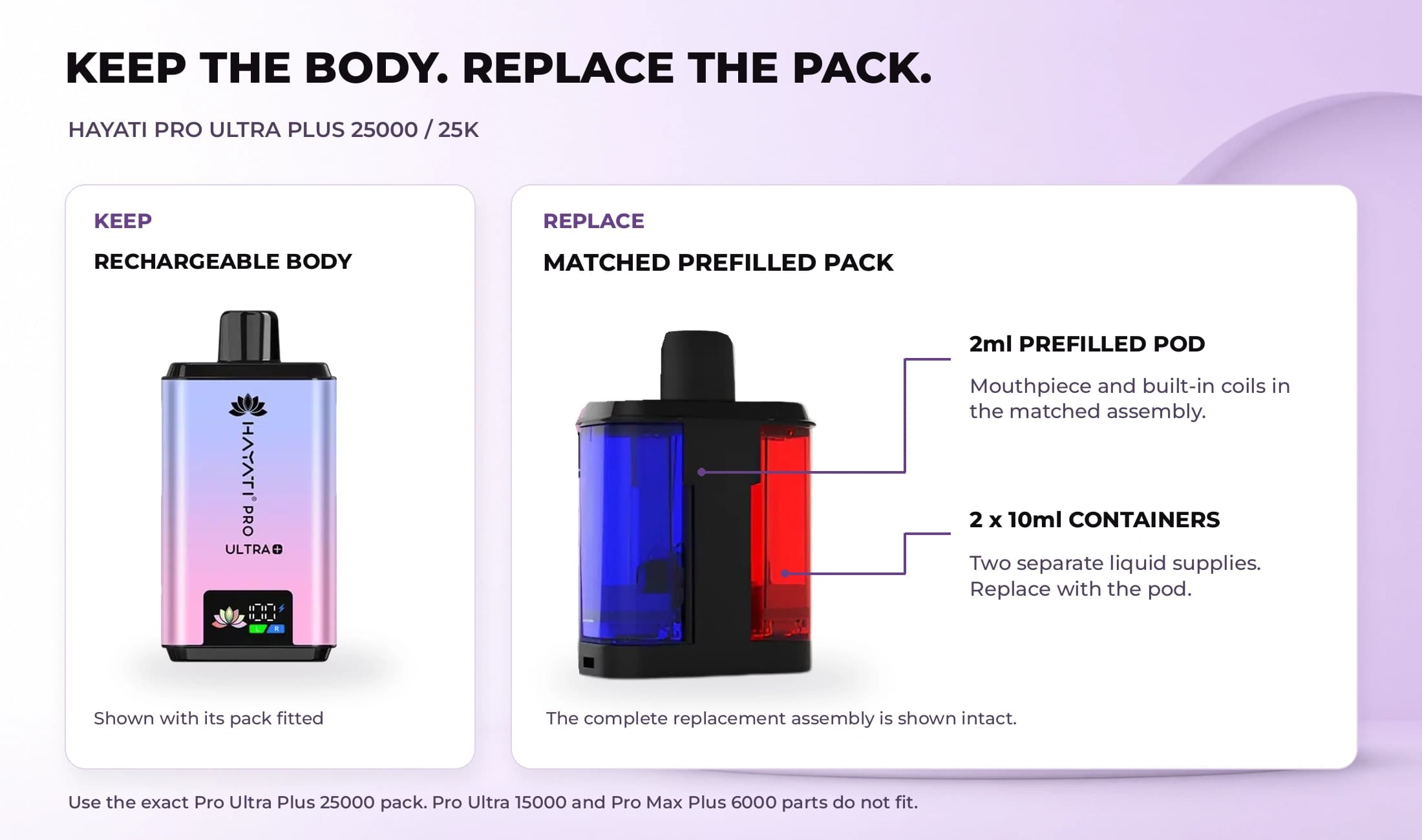
Keep the rechargeable body. The matching prefilled replacement contains the pod with its built-in coils and two refill containers. The pack pictured is labelled 2ml pod plus two 10ml containers. They form a matched assembly; they are not loose bottles for filling an open tank.
Choose the Hayati Pro Ultra Plus 25000 prefilled pod and refill container pack. The 25K name refers to the same model. It does not fit the older Hayati Pro Ultra 15000 or the Pro Max Plus 6000. Check the full name on both the device and replacement packaging.
For removal, seal preparation and fitting, follow our Hayati Pro Ultra Plus refill guide. It walks through replacing the prefilled assembly. Do not prise it open to add bottled e-liquid.
Charging basics that keep the kit working
Use an undamaged USB-C cable and the charger specification supplied with the kit. Connector shape alone is not a compatibility check. If the leaflet is missing or the required input is unclear, ask the seller before choosing a charger.
The Office for Product Safety and Standards advises charging on a clean, flat surface away from things that catch fire, keeping the device in view and unplugging it when full. Do not leave it charging unattended or overnight.
Electrical Safety First also advises against covering a charging vape or exposing it to extreme temperatures. Keep it off bedding and away from direct heat. Unplug before vaping; leave the sealed battery casing intact.
When the device itself is finished
A finished pack does not finish the rechargeable body. A body that will no longer charge properly, is damaged or still fails with a correctly fitted compatible pack needs the seller’s advice. Do not open its sealed battery casing.
Take the device and used pods to a suitable vape or electrical collection point, separately from household rubbish and ordinary recycling. Recycle Your Electricals explains where to take them. Recycle the whole body with its built-in battery, rather than trying to remove the cell yourself.
Common questions about low readings and the display
Why does my Hayati Pro Ultra Plus say low?
First distinguish a low battery number from the letter L. A low number calls for a recharge; L identifies the left side. For an unfamiliar written message that persists after charging and checking pack fit, contact the seller with the exact wording.
How do I know when it is empty?
Check both transparent tanks. A full battery reading does not mean liquid remains. Stop using an empty or burnt-tasting side; when both sides are finished, replace the prefilled pack. Keep the working rechargeable body.
How long does the battery last between charges?
It depends on how often you draw, how long each draw lasts and the condition of the battery. Use the displayed charge to plan a top-up. The 850mAh specification is battery capacity, not a promise of a particular number of hours.
How long does the Hayati Pro Ultra Plus take to charge?
Use the battery reading as the finish point rather than a fixed timer. Starting charge, the cable and the compatible power source affect the time. Check it while charging and disconnect when full, at a reading of 100.
Can I vape while it charges?
Unplug before vaping. Keep charging as a separate task on a clear, flat surface where you can watch the device.
Why is my Hayati Pro Ultra Plus blinking?
Start with battery charge, then check the correct pack is seated and the mouthpiece is fully in position. A persistent flash needs the exact model and symptom checked by the seller. Do not assume that three or ten flashes mean the same thing across Hayati devices.
Why does it taste burnt when the screen still shows liquid?
The number is battery charge; the lotus animation is not a liquid measurement. Check the physical tanks. Even with liquid visible, the wick can be dry or the coil worn. Stop using the affected side and replace the pack if the burnt taste persists.
Does 25,000 puffs mean the liquid or the battery?
It is Hayati’s advertised puff rating for the full prefilled pack, not one battery charge. Recharge the body as needed while liquid remains. The number of puffs you actually get depends on draw length and use; it is not a countdown on this screen.
Can I refill it with bottled e-liquid?
No. Use the correct sealed prefilled pod and refill container pack. Our Pro Ultra Plus refill guide explains the replacement process. Here, refill means changing prefilled parts.
The matching kit and replacement pack
Replacement pack
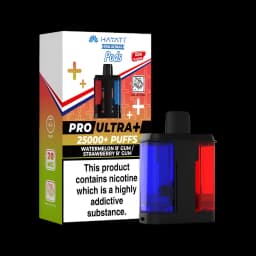
Hayati Pro Ultra Plus 25000 Prefilled Pod & Refill Containers
Best for: Owners of a working Pro Ultra Plus 25000 body
The complete matching pack for a working Pro Ultra Plus 25000 body: the prefilled pod with its built-in coils and the two refill containers. Fit it when both sides are finished or a burnt taste will not clear.
Strengths
- Complete matched assembly, fitted as one piece
- Keeps the rechargeable body in use
Limitations
- Fits the Pro Ultra Plus 25000 only, not the Pro Ultra 15000 or the Pro Max Plus 6000.
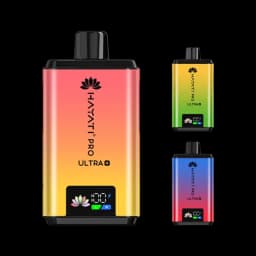
Best for: Anyone starting with this model, or replacing a body that no longer charges
The rechargeable body with its first prefilled pack fitted. A low battery number alone is a reason to recharge, not to buy another body.
Strengths
- USB-C rechargeable body with a battery display
- Two sides with separate liquid supplies
Limitations
- The pack is replaced as a whole. It is not refilled with bottled e-liquid.
Live products, prices and stock
This article explains the question or review. Use the linked shop pages for current product options, prices and availability.
Sources and verification
- Pro Ultra Plus 25K product informationHayatiChecked: 24 November 2026
Supports: Standard 25K model, 850mAh battery, independent coils, transparent tanks, battery display, animation and pack puff rating.
- Pro Ultra Plus display close-upHayatiChecked: 24 November 2026
Supports: Screen layout: numeric battery reading, lightning symbol, L and R indicators and lotus graphic. Artwork includes 100 and 99.
- Pro Ultra Plus transparent tank illustrationHayatiChecked: 24 November 2026
Supports: Separate transparent liquid tanks and battery display; replaceable cartridge and rechargeable body.
- Pro Ultra Plus mouthpiece instructionsHayatiChecked: 24 November 2026
Supports: Lift the mouthpiece, turn it 180 degrees, then align and lower it to select the other tank.
- Pro Ultra Plus setup demonstrationHayatiChecked: 24 November 2026
Supports: At 35 to 45 seconds, tank alignment; at 49 to 56 seconds, lit numeric display, active side and lotus animation; at 58 to 62 seconds, mouthpiece switching; at 65 to 81 seconds, pack replacement.
- Take charge of battery safety when using e-cigarettesOffice for Product Safety and StandardsChecked: 24 November 2026
Supports: Follow supplied instructions, supervise charging on a clear flat surface, disconnect when full, inspect damage and avoid extreme temperatures.
- Vape and e-cigarette electrical safetyElectrical Safety FirstChecked: 24 November 2026
Supports: Correct charger for the manufacturer specification, sound cables, no covered or unattended overnight charging, no modification and proper recycling.
- How to recycle vapesMaterial Focus, Recycle Your ElectricalsChecked: 24 November 2026
Supports: Vapes and pods require separate collection, not household rubbish or ordinary recycling. Recycle an integral-battery device whole through electrical recycling.